

Entry pricing
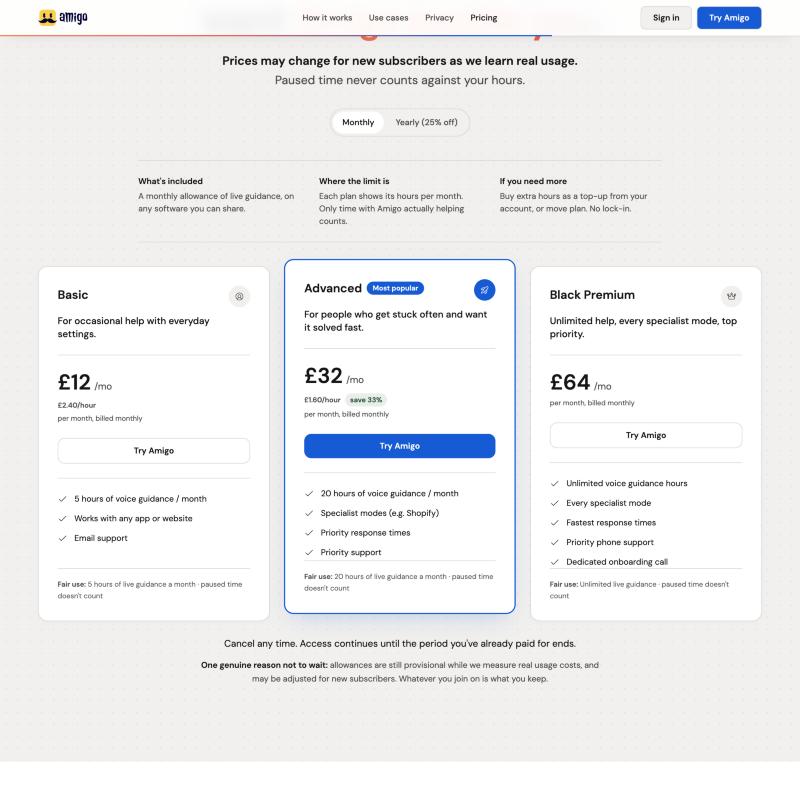
£12/mo
The entry plan: 5 hours at £2.40/hour, about a 50% margin over raw AI cost. Set low on purpose to learn from real usage.
Case study · Personal project
From idea to live product. An AI assistant that watches your shared screen and talks you through unfamiliar software, one step at a time: designed, built and launched by one person, with AI-assisted development.
StatusLive in early access at amigoscreen.com. Real accounts and Stripe subscriptions run through it today.
Overview
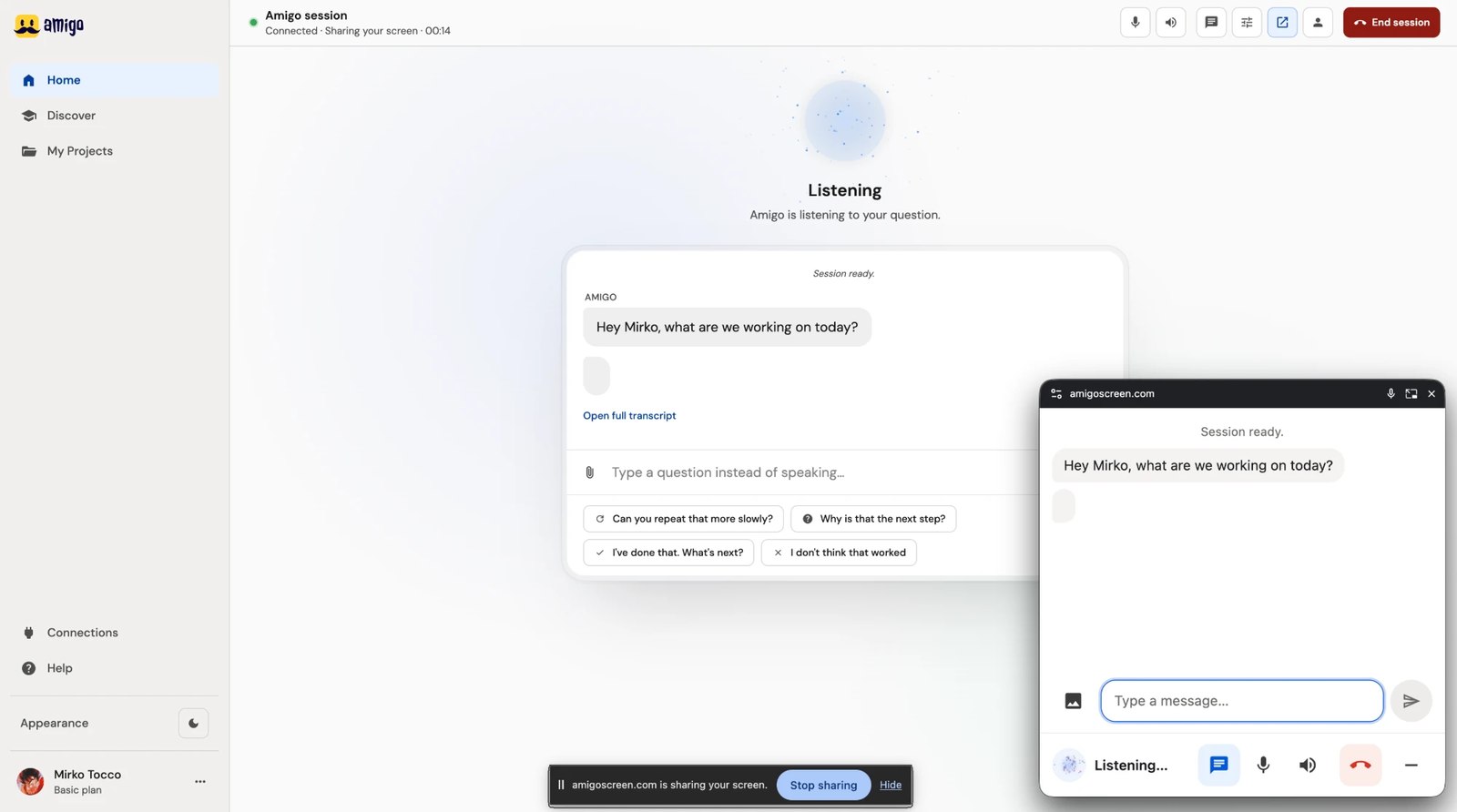
For people who get stuck in software they don't know and would rather be talked through it than hunt for a help article. You share your screen and speak. The assistant sees what is on screen and gives one short spoken instruction, then checks in before the next.
The opportunity
Documentation and video tutorials make you leave the task, find the right page and translate it back into clicks. Amigo takes the other route: an assistant that sees your screen and tells you the next step while you work.
What people try first
Each one means leaving the screen you are stuck on.
What Amigo does instead
The product's own line: “Software shouldn't become the reason the work stops.”

Anyone with basic computer literacy who works across web apps and hits one they have never used. Amigo gets them through the unfamiliar part instead of stalling the task.

A possible second audience: Amigo embedded inside a product, so its users work through a new feature or a migration on the spot instead of opening a support ticket.
Drawn from the landing page's code history and the app's own forms, not from interviews.
Product discovery
Six decisions turned “an AI that can see your screen” into something you can use and trust.
| Screen | What it does | Shown in |
|---|---|---|
| App · signed in6 screens | ||
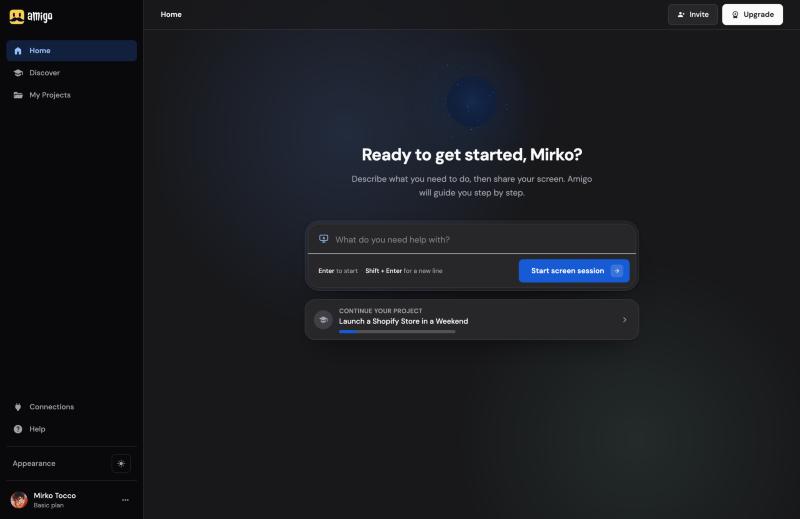
| Home | Describe a task, start a session, or continue a project. | The product |
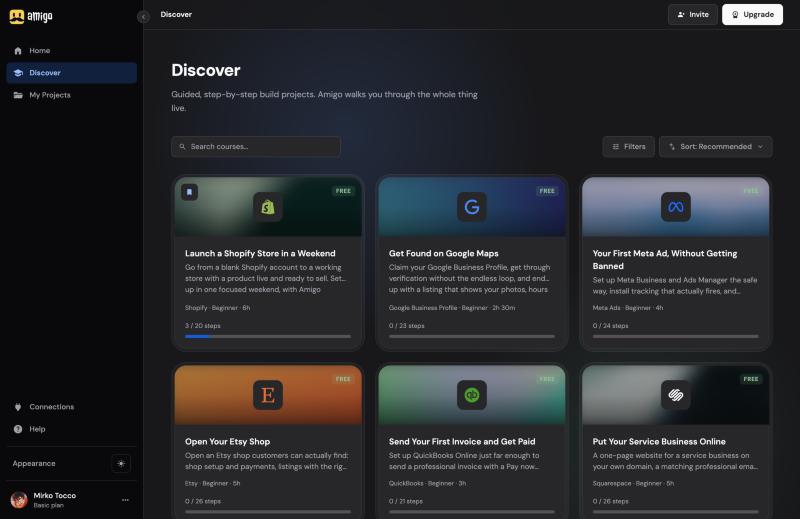
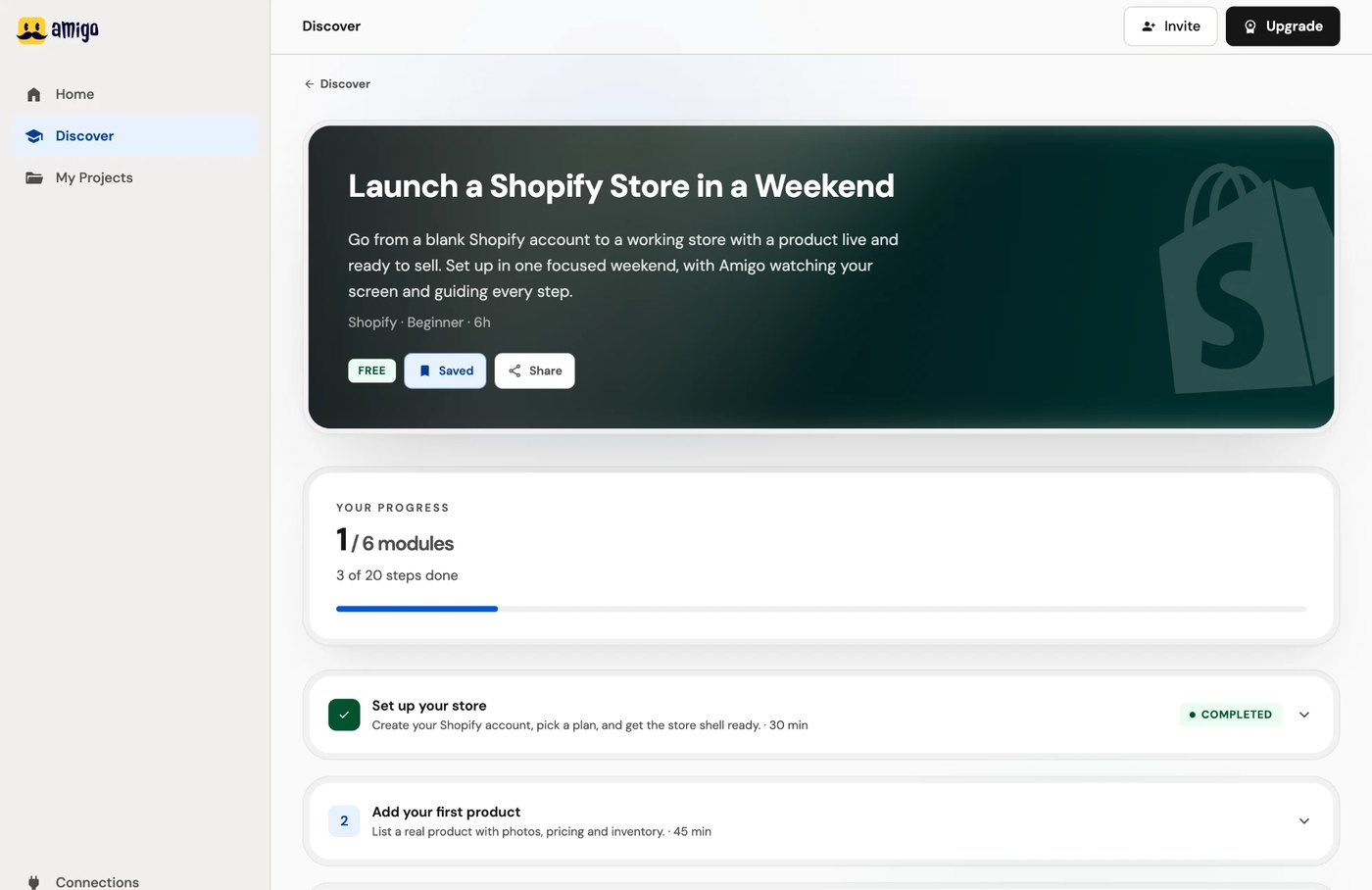
| Discover | Browse guided programmes with search, filters and sort. | The product |
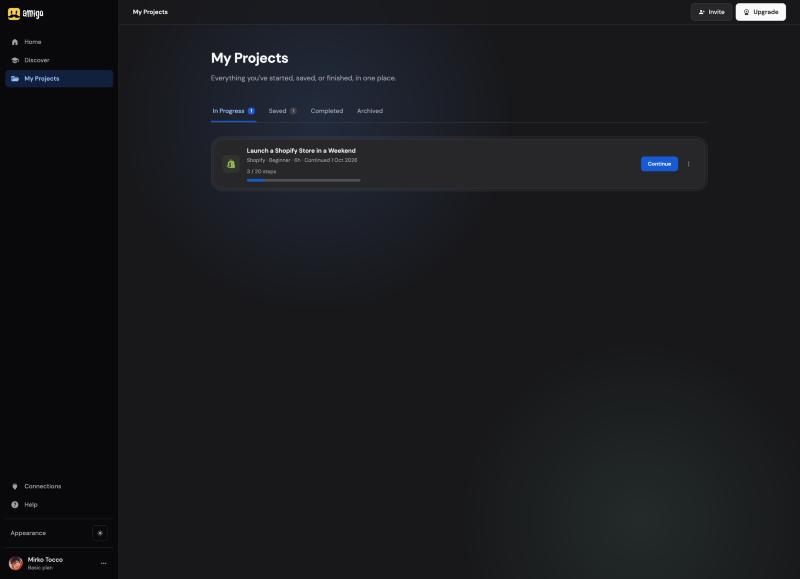
| My Projects | Your programmes: in progress, saved, completed, archived. | The product |
| Live session | Voice and screen sharing, with the floating controller. | The product |
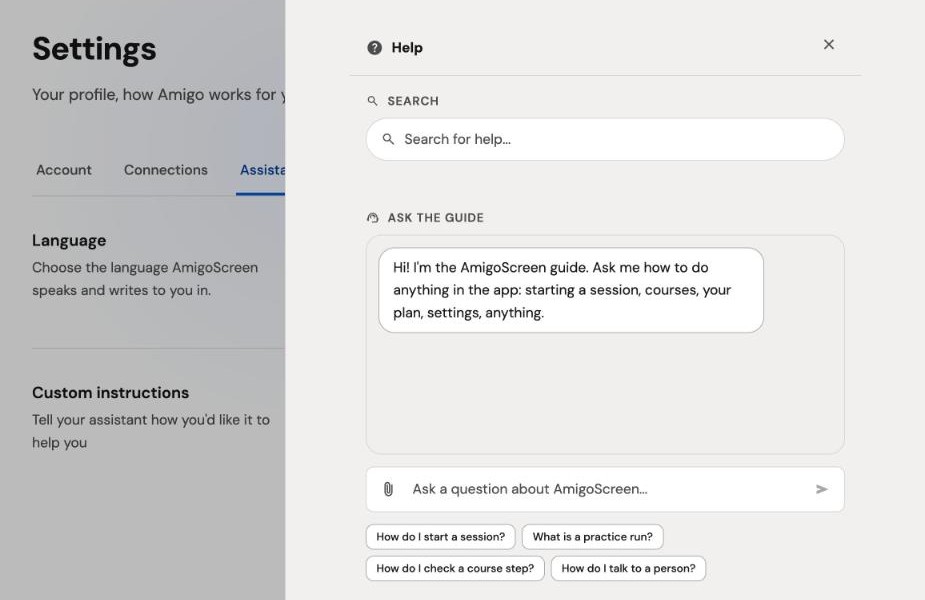
| Help panel | Search help, ask the guide, practise, or reach a person. | The product |
| Invite Not live yet | Invite a teammate by email; sending isn’t connected yet. | Not shown |
| Settings · signed in5 tabs | ||
| Account | Your name and email, password reset, sign out. | Not shown |
| Connections | Apps like Shopify that Amigo can change once you approve. | Product discovery |
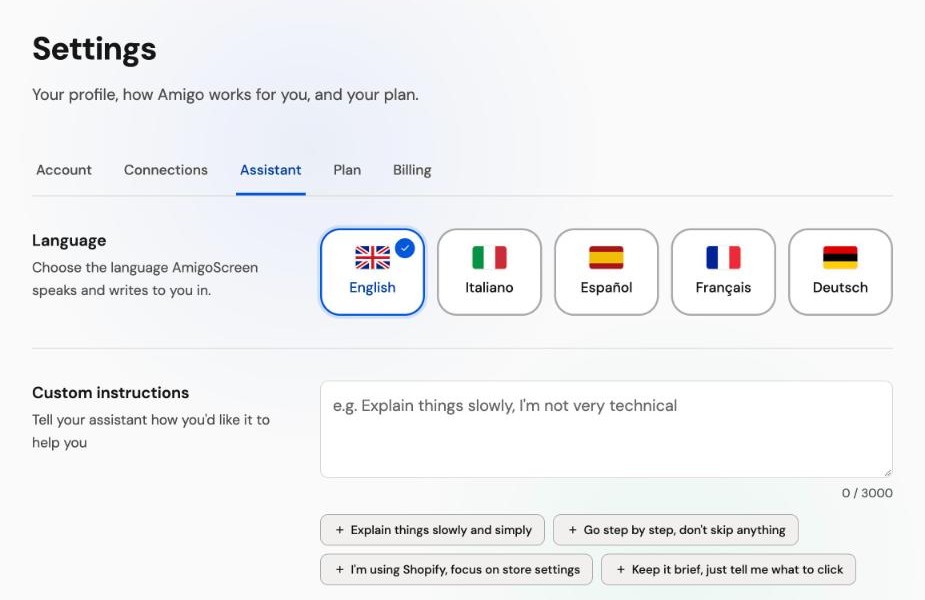
| Assistant | Language, custom instructions, mute key, saved details. | The product |
| Plan | Plan and hours used, top-ups, and a refer-a-friend link. | Launch & go-to-market |
| Billing | Payment method, subscription and billing history. | How it’s built |
| Public · no sign-in needed5 pages | ||
| Landing page | Eleven sections, each answering one visitor question. | Launch & go-to-market |
| Pricing | Three plans, billed monthly or yearly. | Launch & go-to-market |
| FAQ | Answers to common questions before sign-up. | Launch & go-to-market |
| Sign in and sign up | Google, or email and password. | Launch & go-to-market |
| Privacy, terms, cookies | The policies, and the consent that gates analytics. | Product discovery |
Blue names are the three destinations in the sidebar. Each row is checked against the app’s source or its live screens.
Stuck in software you don’t know. You pick what to share and do every step.
Listens, looks only when it needs to, and gives one short spoken instruction.
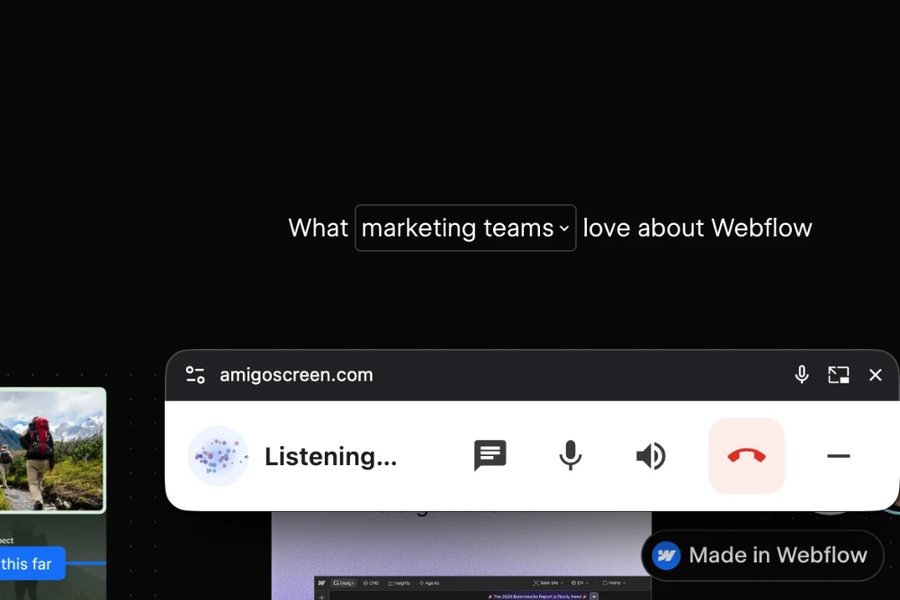
The tab or window you chose to share, with the floating controller over it. It stays yours to click.
You click, type and scroll. Amigo never does.
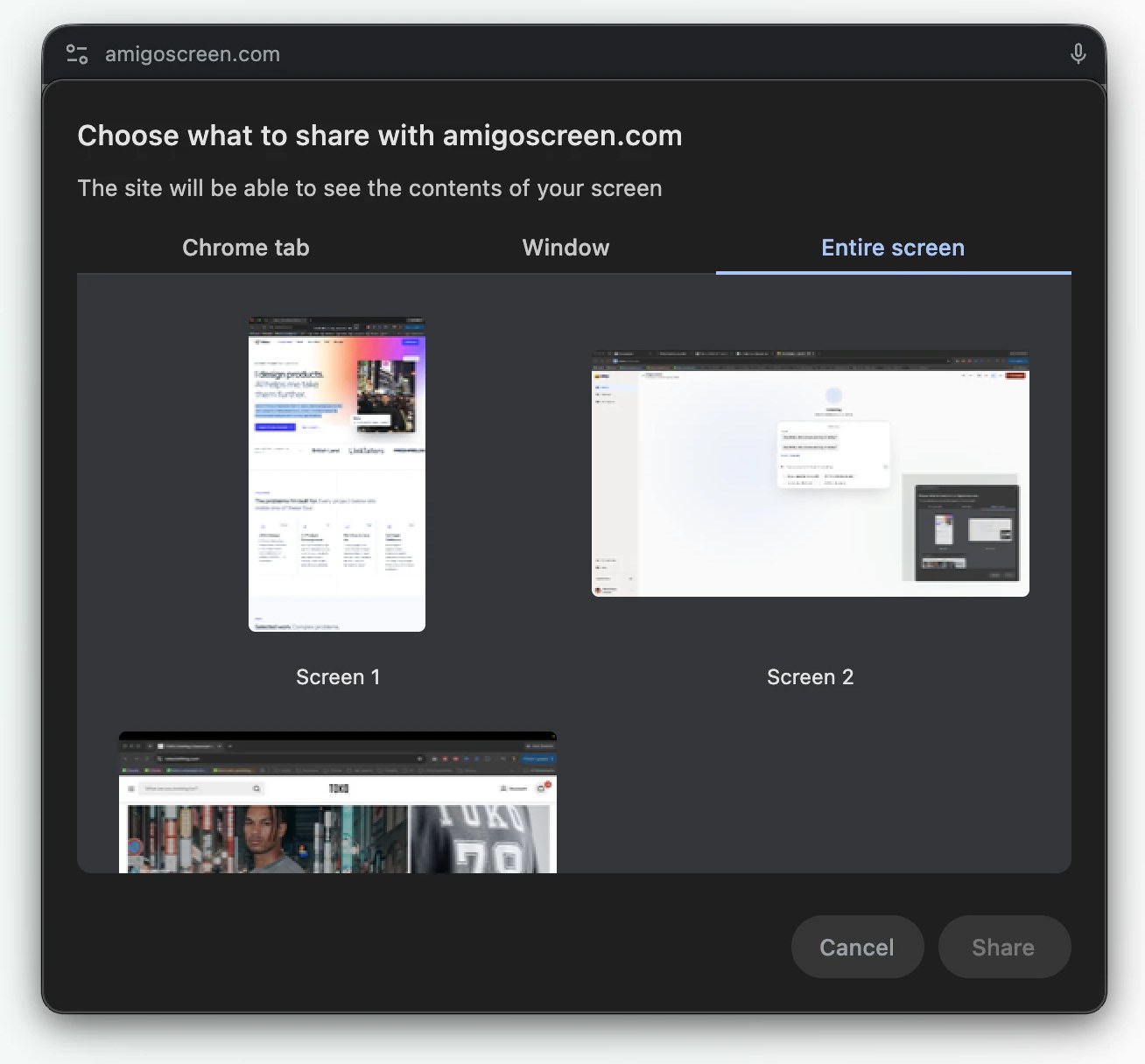
Streamed live for the session and discarded. Not recorded, not stored.
One is sent to the AI provider only when Amigo needs to look, then discarded.
Saved to your account so you can revisit a session. Deleted on request.
Not claimed, because the privacy policy doesn't support it yet: end-to-end encryption, zero data retention, GDPR or CCPA certification.
The product
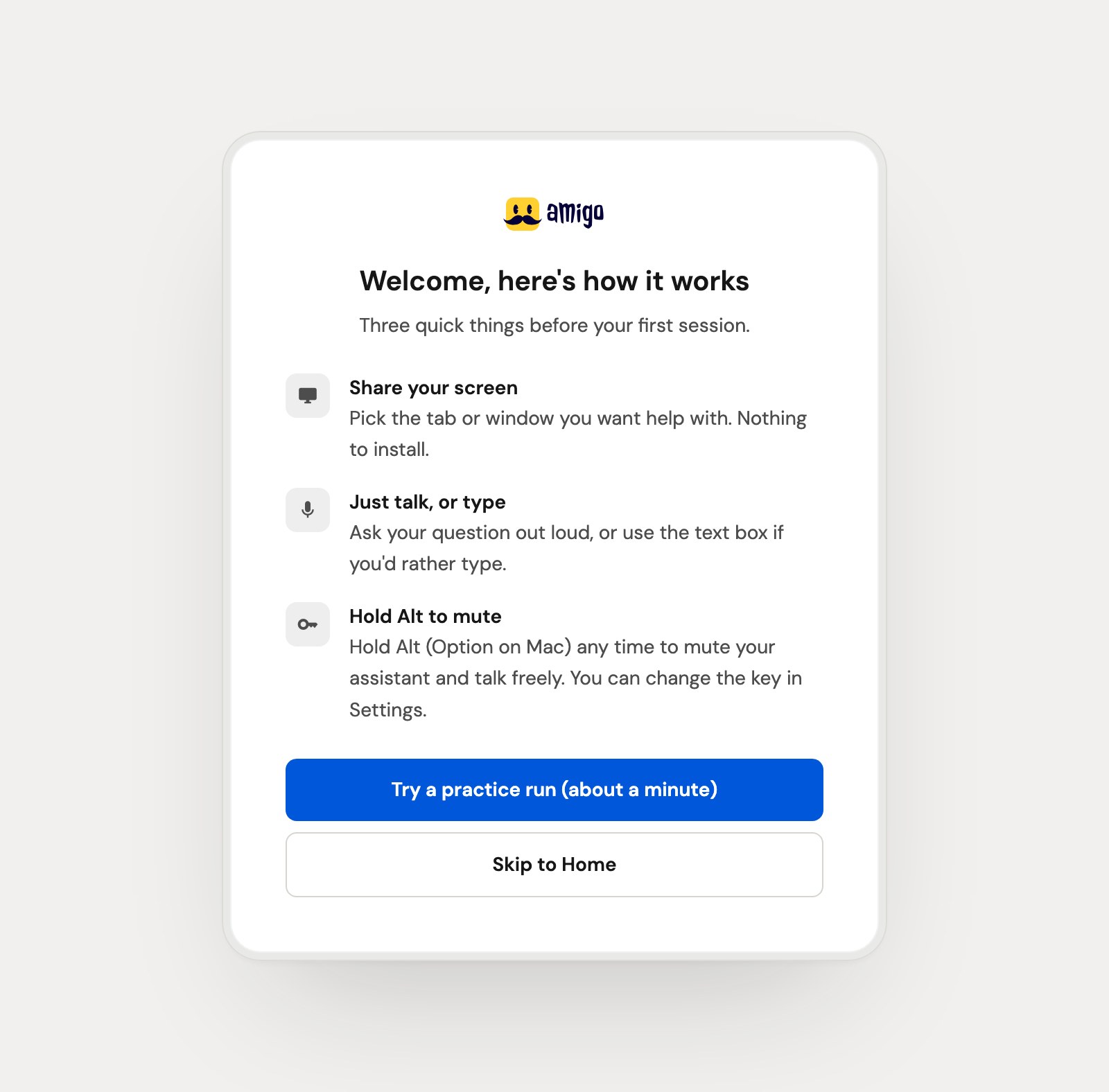
Real screens from the authenticated app.
Key features
Programmes keep a task on track, the assistant reads the screen when asked, the floating controller stays with you in any tab, and your progress waits for you.
Guided programmes
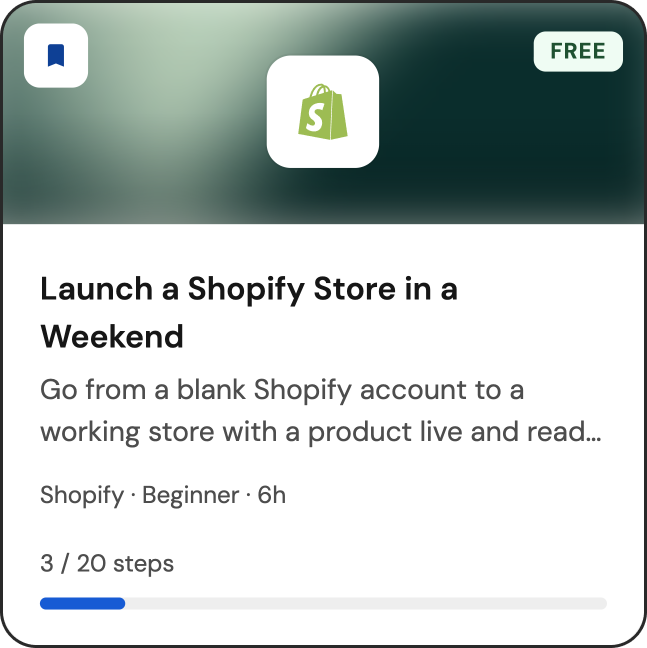
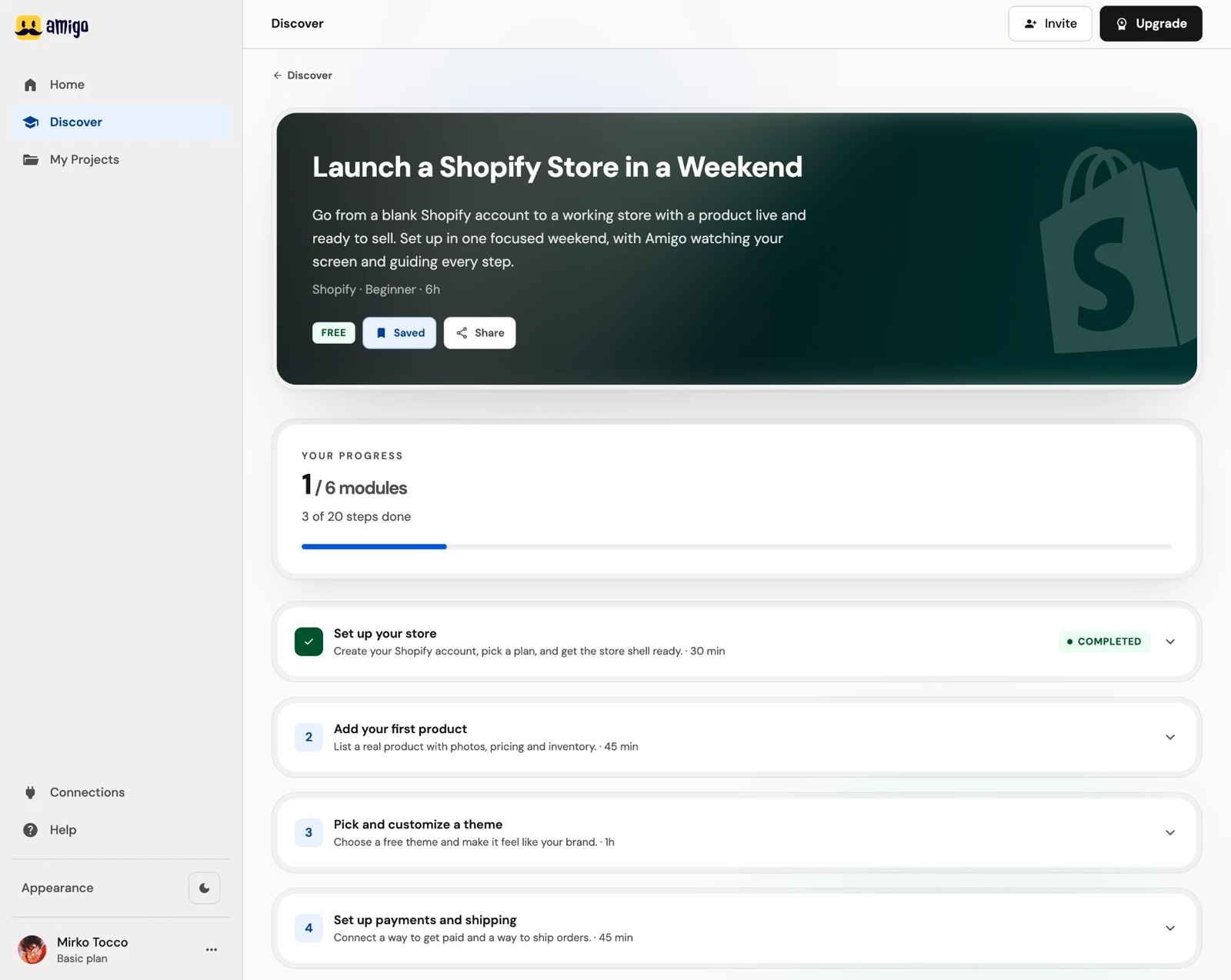
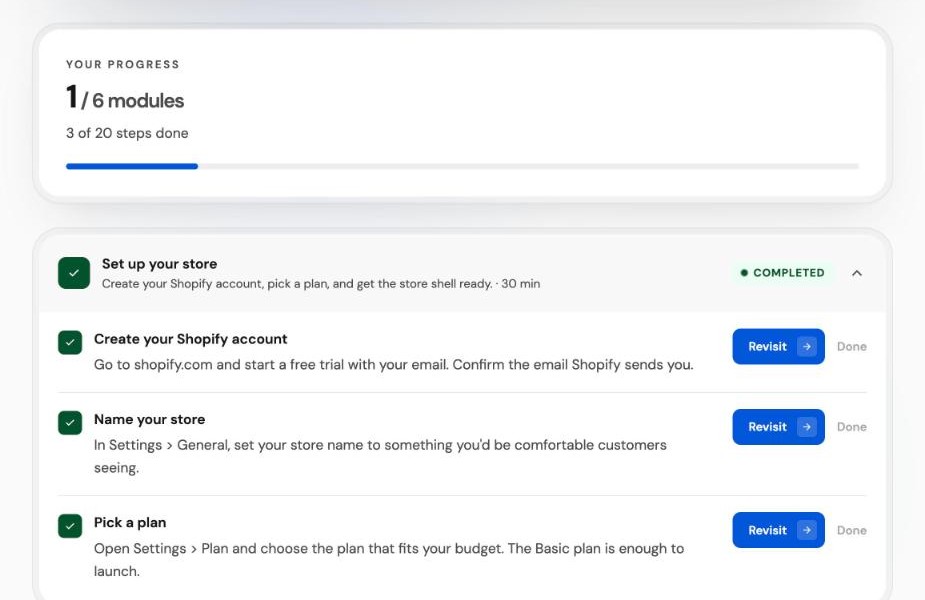
Each programme has modules, and each module has small steps with a clear “done” condition.
Programme
Launch a Shopify Store in a Weekend
One step: Name your store
Real-time assistance
Voice runs over one live connection. The screen is read on demand, so a normal turn stays fast. Mid-session the assistant can:
Every turn
On demand
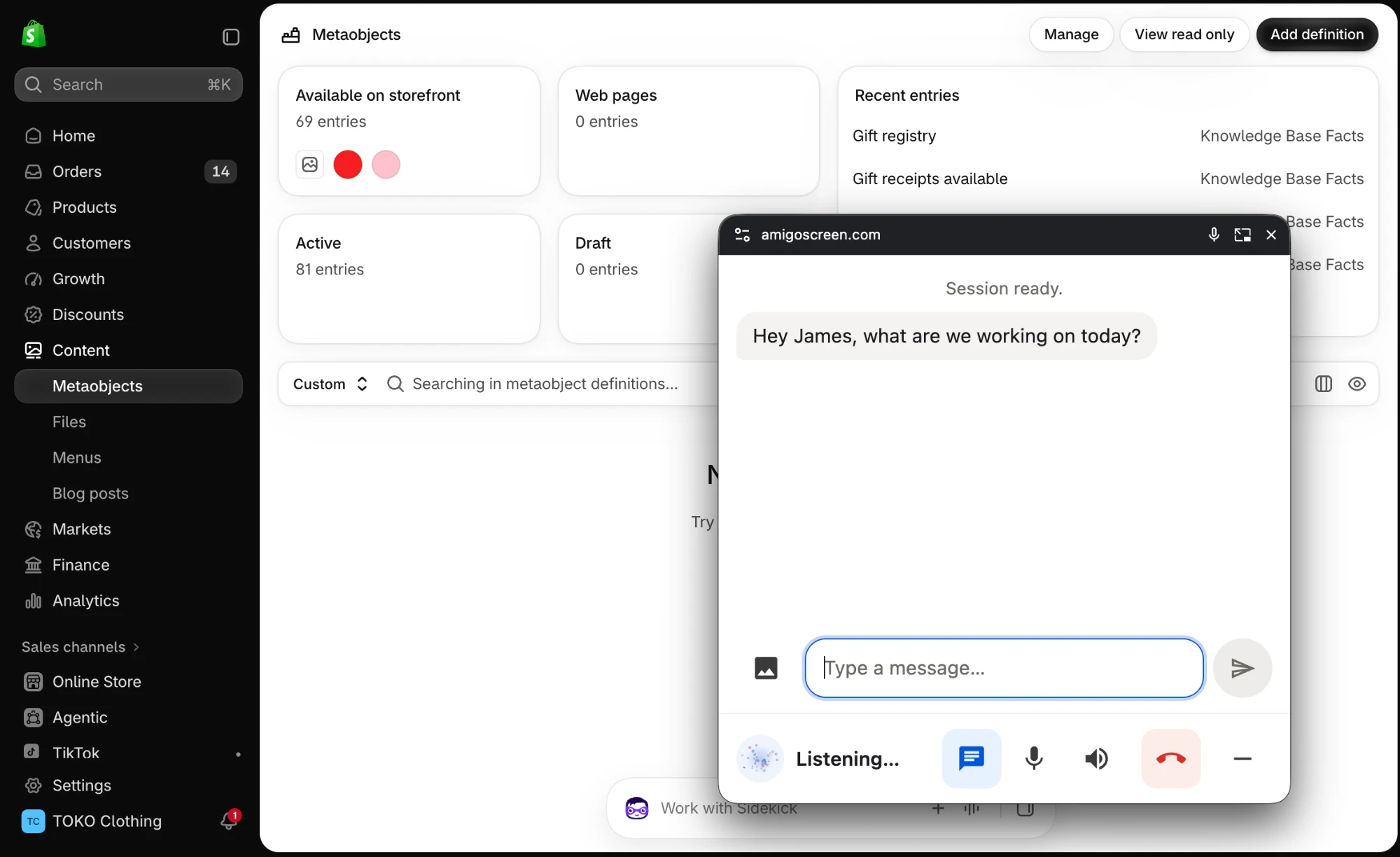
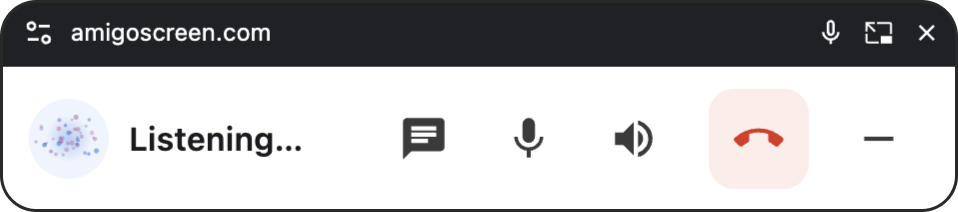
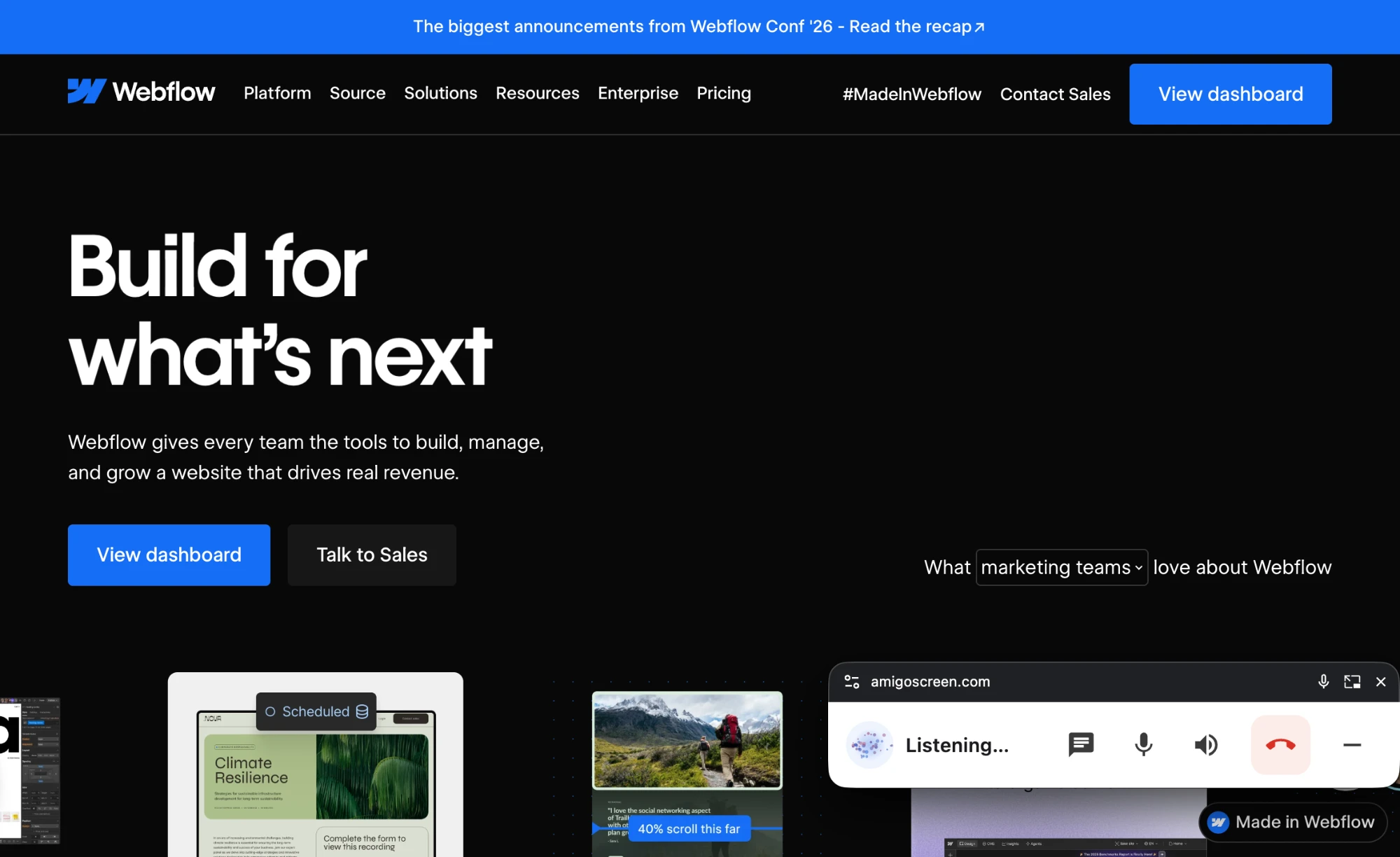
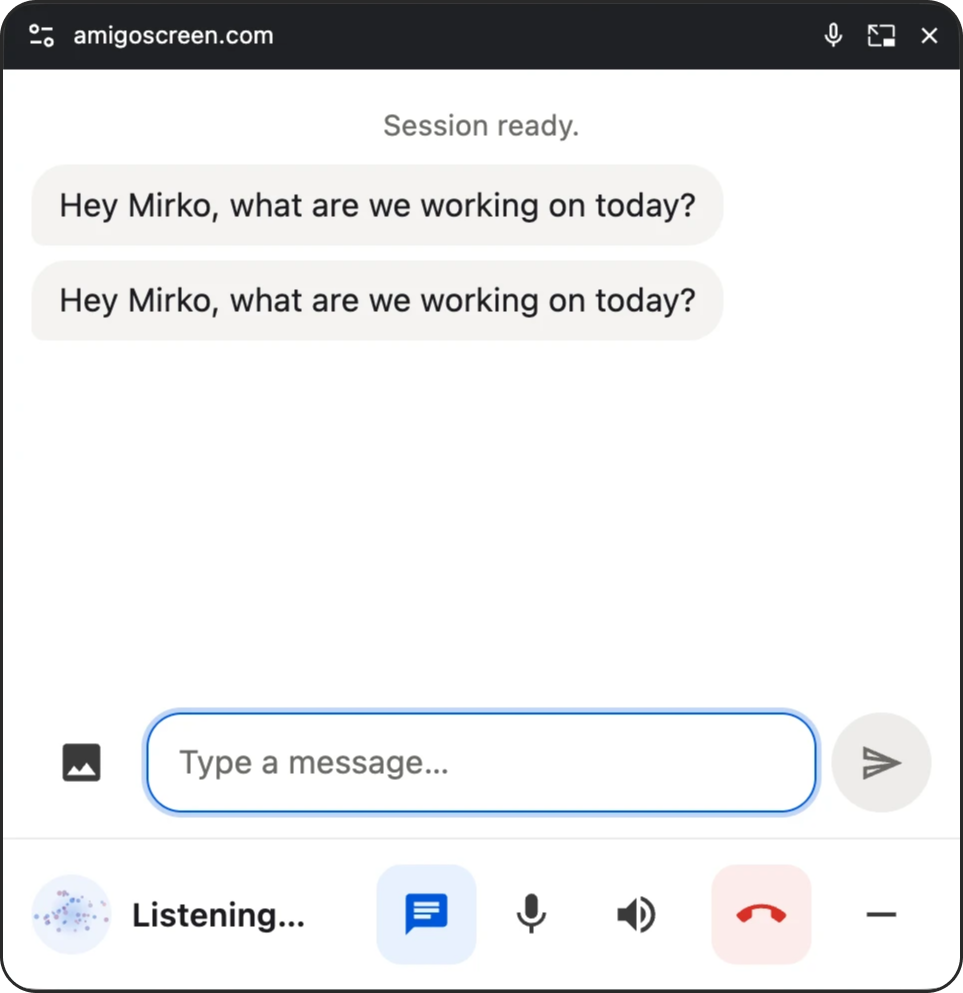
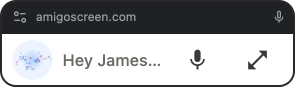
Floating controller
It opens when a session starts and sits over whatever app or tab you are using, so you never switch back to Amigo to mute, type or stop.
Built on the browser's Picture-in-Picture window, so it runs in Chrome and Edge.
Progress and projects
Every programme you start is a project. Home offers to continue the last one; My Projects keeps them in four lists.
Progress is stored per programme (current module and step) and per step, with a record of whether Amigo verified it or you marked it yourself.
How it's built
Two different AI roles: Claude Code helped build the product; OpenAI Realtime powers the live assistant. Every product and architecture decision was made and checked by me.
Built with
Browser
React 18 · Vite · Tailwind CSS · Relume UI
Microphone and screen share, through the browser's own permission prompts
Picture-in-Picture window
Supabase
Row-level security: people can only read their own data
Services
Voice in and out, plus on-demand screen reading
Embedded payment form, subscriptions, webhooks
Connect a store; every change waits for your approval
Welcome email
Analytics, only after you consent
Voice travels from the browser over a WebSocket to a Supabase Edge Function and on to OpenAI. The provider key never reaches the browser, and credits are checked before a session connects.
Ship
Designer to builder
AI speeds up the build. The experience, the implementation decisions and the final quality are still mine to get right.
Launch & go-to-market
The brief behind it: a first-time visitor understands the product in five seconds, and companies get their own way in.
Live plans, checked 8 October 2026
Priced low on purpose while real usage shows what it is worth; the pricing page says so to subscribers.
Acquisition in place
No paid acquisition or content plan is documented yet.
Outcome
What shipped, what was measured, and what isn't claimed yet.

 Authenticated web appHome, Discover, My Projects, Settings, live session
 Voice assistantLive speech with on-demand screen readingGuided programmes7 programmes and 4 short tasks, each in checkable steps
 Floating controllerPicture-in-Picture session controls
 Accounts and sign-inGoogle or email, with row-level security
 Subscriptions and paymentsStripe checkout, billing and webhooks
 Public marketing siteLanding page, pricing, FAQ, legal pages

 Production deploymentNetlify from GitHub, live at amigoscreen.com
Scale
Commit history, 18 Aug to 6 Oct 2026
Challenge
Slow voice turns
Decision
One OpenAI Realtime connection
Result
−2 network hops
removed per turn
Challenge
A screenshot every turn
Decision
On-demand screen capture
Result
Fewer vision calls
and faster turn-taking
Challenge
High running cost
Decision
Fixed prompt caching, gated the mic in silence
Result
~30–60% lower
roughly, than the modelled cost
All figures are raw AI cost before margin, for a five-hour allowance. The entry plan, Basic, charges £12 for those 5 hours.
£12/mo
The entry plan: 5 hours at £2.40/hour, about a 50% margin over raw AI cost. Set low on purpose to learn from real usage.
Modelled at $22.50, audited at $9 to 16 after the caching fix.
$5.76
$5.76 was mic audio streamed during silence, before the gating fix.
Claude plus separate speech-to-text and text-to-speech was about half the cost, but three moving parts and a hop of latency each. Gemini was evaluated, not modelled to five hours. Cheapest on paper wasn't cheapest to ship: voice has to feel instant, so I stayed on OpenAI Realtime and cut the cost inside it.
A recap rewrote the start of the prompt about every 100 seconds, so the cache never held. Made the prefix static and verified with cached-token counts from a test call.
Settings that existed but were never wired in, now connected with a pre-roll and a hangover so soft speech isn't clipped. Estimated saving: $3 to $4 a session.
A cheaper model tier could save about $7 a session but risks weaker screen reading, so it is being tested first. Talk time and screenshot frequency are now logged.
One mismatch worth naming: the product charges in sterling and pays OpenAI in dollars, so the margin moves with the exchange rate as well as with usage.
No usage numbers, retention or revenue appear on this page, because none have been independently verified yet. What the project does show is one person carrying a product from the first brief to a live, paid service: the interaction design, the build, the infrastructure and the launch, with every decision traceable to the code that shipped.
Portfolio
Next
I help teams design AI features that are honest about what they know and what they don't, from the interaction model through to a production build.